The Definitive 2026 Guide to Retro Game Controllers (UK Edition)
Most controller buying guides for retro gaming make a fundamental error: they judge controllers by the same criteria used for modern games. Thumbstick precision, trigger sensitivity, rumble quality, gyroscope responsiveness — all of that matters for current-generation gaming. For retro emulation, none of it is the deciding factor. The single most important hardware feature is the D-pad, and most modern controllers still have a mediocre one.
This guide goes deeper than the usual “top 5 controllers” roundup: why the D-pad matters more than anything else, how D-pad engineering actually differs between manufacturers, what it costs to buy right in the UK today, and exactly how each option behaves across the emulators most UK retro gamers actually use.
Why the D-Pad Is the Most Important Feature
Roughly ninety percent of the classic gaming library was built around a directional pad, not an analogue stick. Super Mario Bros., Castlevania, Mega Man, Street Fighter II, Final Fantasy, The Legend of Zelda, Pokémon — all D-pad-primary. The timing-critical inputs baked into these games — pixel-perfect jumps in Mega Man, quarter-circle motions in Street Fighter, diagonal rolls in Sonic — demand a D-pad that registers directional input accurately and consistently, especially on diagonals, which is where most modern D-pads quietly fail.
How D-pad engineering actually differs
Not all D-pads use the same mechanism, and the mechanism is what determines diagonal accuracy:
- Membrane/rubber-dome D-pads (common on budget and older controllers) rely on a single flexible membrane under a plastic cross. They’re cheap to produce but diagonal registration is inconsistent because the membrane doesn’t clearly separate the four directions.
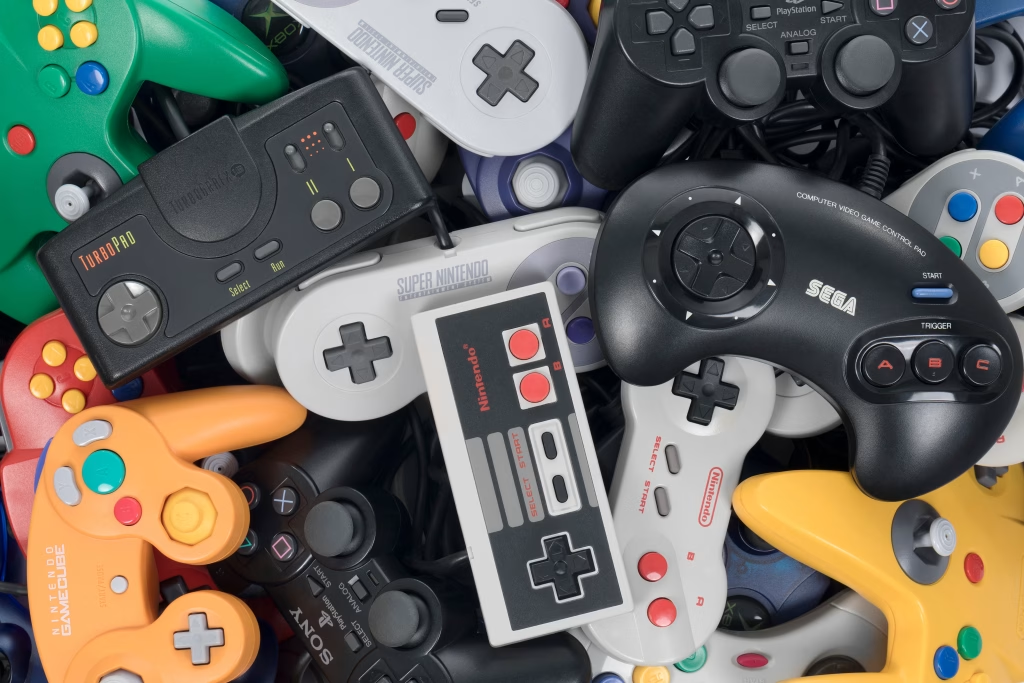
- Four-petal pivot D-pads (the design SNES pioneered, and 8BitDo deliberately replicates) use four independent petals hinged around a central pivot. Pressing a diagonal cleanly activates two adjacent petals together, which is why this design is consistently rated best for fighting-game inputs and precision 2D platforming.
- Disc-style D-pads (a single rocking disc rather than four separate directions) prioritise smooth rotational input — good for menu navigation, worse for hard diagonal snaps.
The Xbox Series controller’s D-pad is frequently cited as an improvement over previous Xbox generations, and it is — but it’s still not ideal for retro gaming, because its diagonal registration remains inconsistent. This isn’t a manufacturing defect; the Microsoft D-pad architecture is optimised for 3D-game menu navigation rather than 2D-game input precision, which is a different design goal entirely. The PlayStation DualShock/DualSense architecture performs better on diagonals, and the 8BitDo cross-petal design performs better still.
Tier 1: Best D-Pad Controllers for Retro Gaming in 2026
8BitDo Ultimate 2C Wireless (around £35–£40 in the UK)
The most recommended retro gaming controller at this price point, and for good reason. The D-pad uses a four-petal pivot mechanism similar to the original SNES controller, with diagonal registration that’s measurably more accurate than most modern pads. The 2C Wireless model offers a 2.4GHz USB-C dongle (the lowest-latency wireless option available) alongside Bluetooth for mobile and Switch use. Hall-effect thumbsticks mean no joystick drift over the controller’s lifetime — a genuine long-term reliability advantage over traditional potentiometer sticks, which wear and drift within a couple of years of regular use. Full specs are available on 8BitDo’s official product page.
Compatibility: recognised as XInput on PC without drivers. Works in RetroArch, PCSX2, and Dolphin without configuration. For GBA emulation through mGBA or the mGBA RetroArch core (see our best GBA emulators for PC guide), the 8BitDo registers precisely and needs no additional setup.
Where to buy in the UK: widely stocked through Amazon UK and 8BitDo’s own UK storefront; pricing fluctuates with stock and bundle offers, so it’s worth comparing both before buying.
Nintendo Switch Pro Controller (around £65–£70 in the UK)
The Switch Pro’s D-pad has genuinely improved across hardware revisions and is now solid for 2D games — though it’s worth noting this wasn’t always true of earlier production runs, so buying new rather than a well-worn used unit matters here more than with most controllers. It connects wirelessly via Bluetooth or wired over USB-C, and is natively recognised in most PC emulators. The higher UK price versus the 8BitDo is justified mainly by build quality and the ergonomic grip, which matters over long sessions more than most buying guides give it credit for.
Retro-Bit Licensed SNES and Mega Drive Controllers (around £18–£30, USB versions)
If you primarily play SNES or Mega Drive games, an authentic-layout USB reproduction is the correct choice rather than a general-purpose modern pad. Retro-Bit produces officially licensed reproductions using the original button placement, original D-pad design, and original feel, because they’re built from the original mould design rather than a reinterpretation of it. There are no thumbsticks — the SNES and Mega Drive never had them — which isn’t a limitation here, it’s period-accurate.
For GameCube and Wii emulation via Dolphin, see our Dolphin emulator guide — the official Nintendo GameCube controller adapter paired with original GameCube controllers is the best option specifically for Super Smash Bros. emulation, where the GameCube controller’s unique octagonal gate and analogue-trigger shield inputs genuinely change execution.
Tier 2: Strong All-Around Options
PlayStation DualSense (around £60–£70 in the UK)
Sony’s current controller has the best D-pad of any major console manufacturer’s current first-party offering. The DualSense’s D-pad outperforms the older DualShock 4 and holds up genuinely well for 2D games. The touchpad doubles as a large trackpad for emulators that support mouse-style input, which is useful for certain PS1 and PC Engine titles built around light-gun mechanics. Adaptive triggers add no meaningful benefit for retro gaming, but they don’t hurt anything either. See Sony’s official DualSense page for full specs and current colourways.
On PC: use DualSenseX software for full driver support, including pressure-sensitive trigger mapping for PS2-era driving games in PCSX2 — see our best PS2 emulators on Android guide for the equivalent analogue-trigger considerations on mobile.
Bigbig Won Rainbow 2 Pro (around £45–£55 in the UK)
An underrated option with interchangeable D-pad inserts (cross, disc, and ring shapes in the box), Hall-effect thumbsticks and triggers, and a 6-axis gyroscope useful for Wii emulation. At a price below both the DualSense and Switch Pro, it packs in more retro-specific features than either — the swappable D-pad inserts in particular let you tune the feel per genre (cross for platformers, disc for fighting games) rather than compromising on one shape.
Tier 3: Avoid for Retro Gaming
Xbox Series Controller: Fine for modern 3D games. The D-pad’s diagonal registration genuinely fails in fighting games and precision 2D platformers, for the architectural reasons covered above. Not the right choice for a dedicated retro setup, even though it’s often the default controller people already own.
Budget wireless controllers (under £12–£15): Bluetooth input lag at the cheap end of the market can reach 20–30ms, creating a perceptible delay in timing-critical games. This latency compounds with emulator input latency and display latency, so the total delay you actually feel can be noticeably worse than the spec sheet suggests. For retro gaming specifically, where frame-perfect timing is often the entire point, the controller is not where to cut cost.
Wired vs Wireless: Does Latency Actually Matter Here?
For most casual retro play, Bluetooth latency from a good controller (8BitDo, DualSense, Switch Pro) is low enough not to matter. Where it becomes a real factor is specifically in fighting games and precision platformers with frame-perfect inputs — genres built around the exact timing windows retro consoles were designed for. If you’re chasing speedrun times or competitive fighting-game execution, a wired connection (or 2.4GHz dongle rather than Bluetooth) removes a variable worth removing. For general nostalgia-driven play, don’t let latency anxiety talk you out of the convenience of Bluetooth.
The Controller–Emulator Connection
Different emulators detect and prioritise controllers differently, and mismatched expectations here cause a lot of the “my controller doesn’t work properly” frustration UK retro gamers run into:
- RetroArch: Detects XInput (Xbox-layout) controllers automatically. PlayStation controllers need DualSenseX or DS4Windows to present as XInput, or you can use RetroArch’s native DualSense/DualShock driver instead.
- Dolphin: Has native support for both XInput and DirectInput. The GCN Adapter option detects official GameCube controller adapters without any driver setup — see the Dolphin emulator guide for the full setup walkthrough.
- PCSX2: Detects XInput and DualSense natively. DualShock 2-style analogue pressure sensitivity requires a DualSense or a DualShock 4 paired with DS4Windows.
Quick Comparison Table
| Controller | Approx. UK Price | D-pad Type | Best For | Wireless Latency |
|---|---|---|---|---|
| 8BitDo Ultimate 2C | £35–£40 | Four-petal pivot | Fighting games, platformers | Very low (2.4GHz dongle) |
| Switch Pro Controller | £65–£70 | Improved rubber-dome | General 2D play, comfort | Low (Bluetooth) |
| Retro-Bit SNES/Genesis | £18–£30 | Original mould reproduction | Authentic period play | Wired (USB) |
| DualSense | £60–£70 | Disc-hybrid | 2D games + light-gun titles | Low (Bluetooth) |
| Bigbig Won Rainbow 2 Pro | £45–£55 | Interchangeable inserts | Genre-tuned play, Wii emulation | Low |
Frequently Asked Questions
Do I need a different controller for every console I emulate? No — a single well-chosen controller (the 8BitDo Ultimate 2C is the most flexible pick) covers the vast majority of retro systems well. The exception is GameCube emulation, where the official adapter and original pad genuinely change execution for games like Smash Bros., and SNES/Mega Drive purists who specifically want period-accurate feel.
Is Bluetooth good enough, or do I need wired? Bluetooth from a quality controller is fine for casual play. Wired or 2.4GHz dongle connections matter more specifically for fighting games and frame-perfect platforming, where every millisecond of input delay is felt.
Why does my PlayStation controller not work properly in RetroArch? RetroArch expects XInput by default. Use DualSenseX or DS4Windows to make a PlayStation controller present as XInput, or switch to RetroArch’s native DualSense/DualShock driver in settings.
Are budget unbranded controllers worth it for retro gaming? Generally no. The D-pad mechanism on sub-£12 controllers is almost always the weakest part of the build, and Bluetooth latency at that price point is frequently high enough to be noticeable in timing-sensitive games.
For full emulator-by-emulator setup coverage, see our emulators hub.